Automation for Confluence
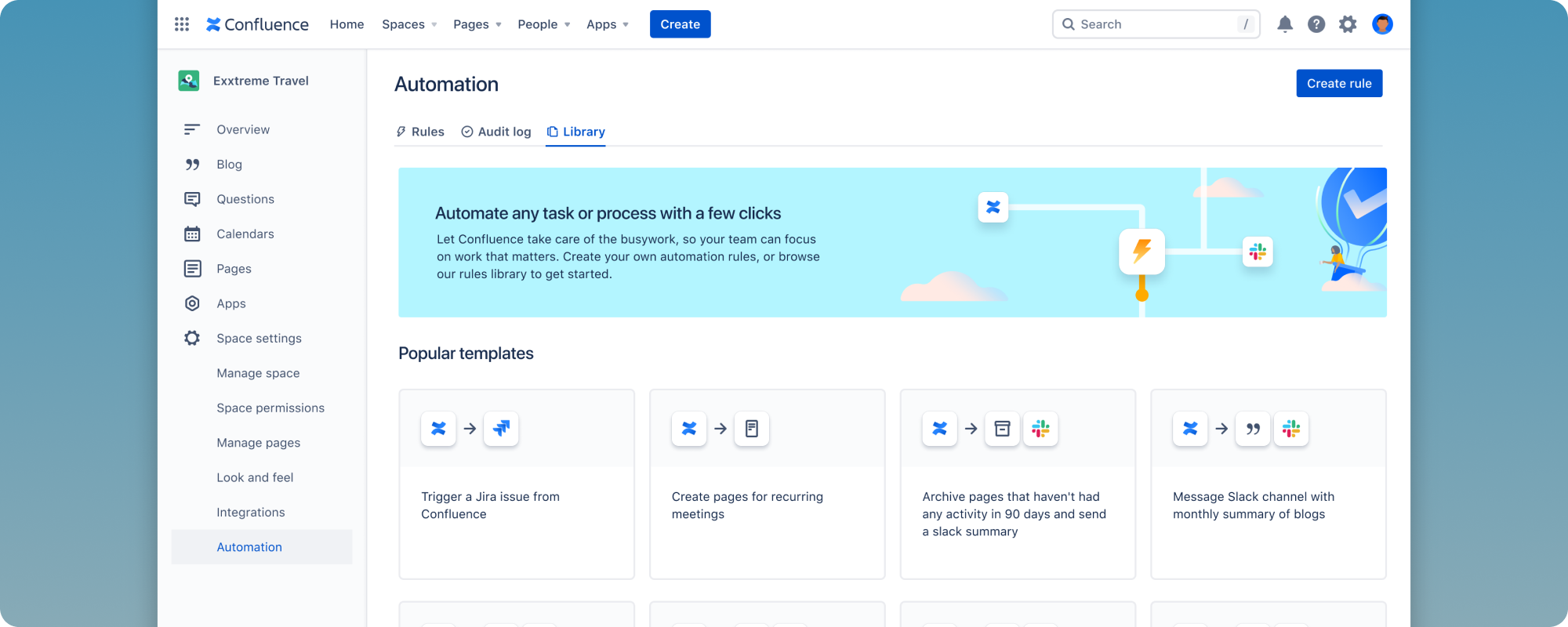
Confluence was a stagnant documentation tool facing pressure from automation-first competitors. I took design from research to deployment, iterating on a low maturity platform experience that launched at nearly triple the completion rate of its predecessor and became a top driver for Confluence Premium.
The problem
By late 2021, Confluence customers were asking for automation, and Jira customers represented a key expansion target. The feature had direct business impact: essential for Premium growth and retaining existing customers.
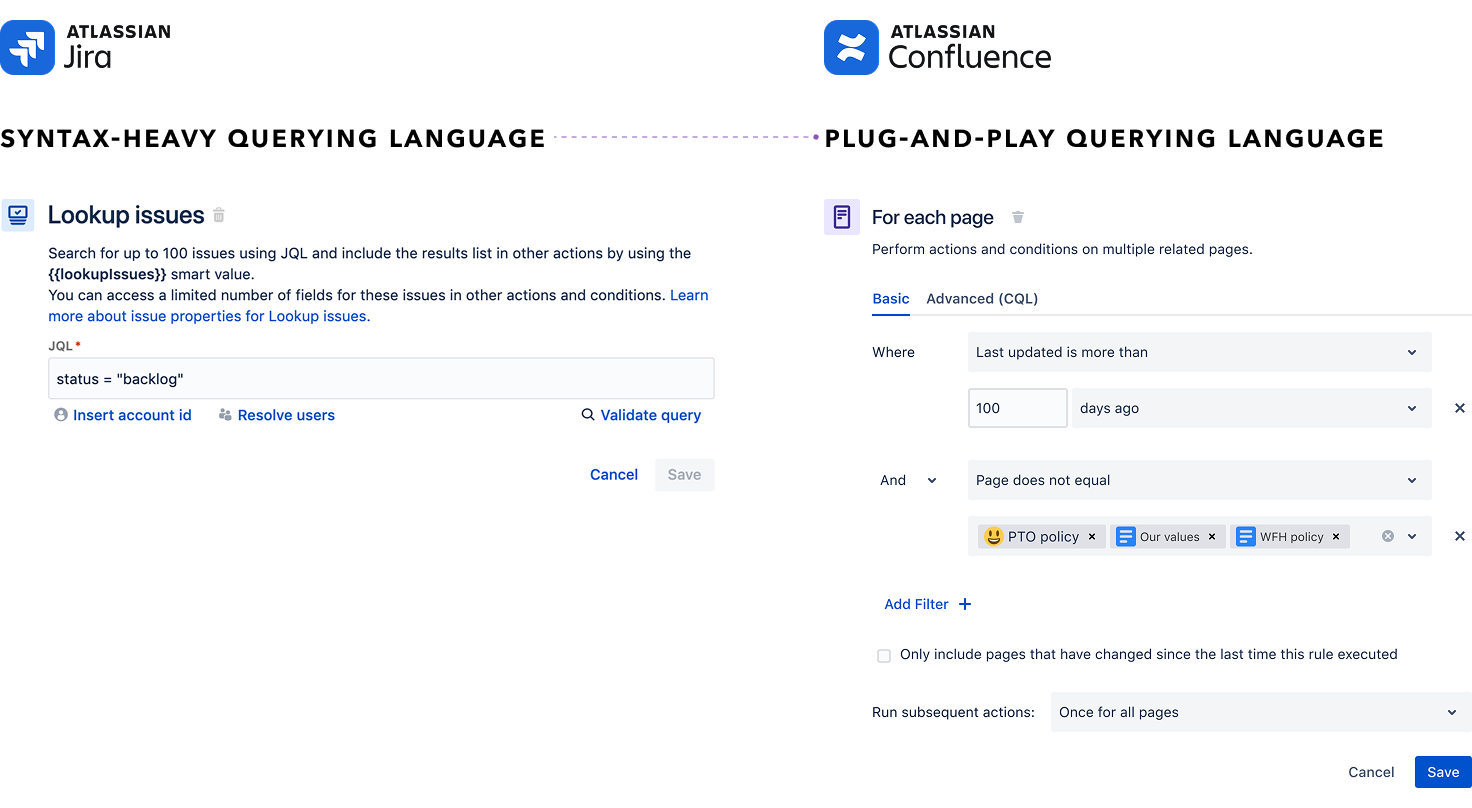
The challenge was that Jira already had an Automation product — but it was developer-centric, syntactically complex, and had a low-maturity UI system. My job was to contextualize it for Confluence use cases, on a new serverless platform (Forge) with an evolving UI kit, in a team of three across three time zones.
Approach
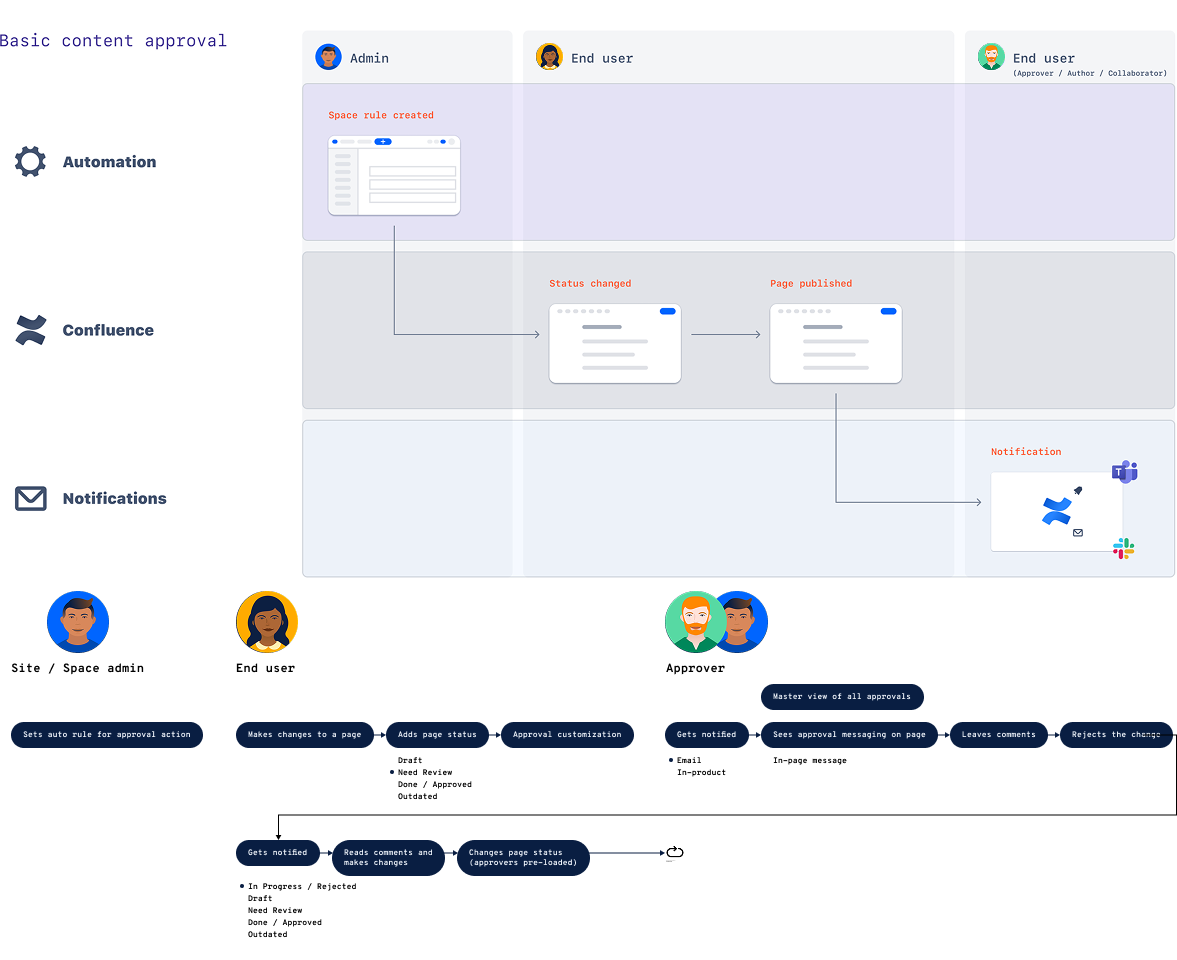
From customer research, I identified 5 key jobs-to-be-done and translated them into 7 out-of-the-box template rules. I facilitated design jams, ran lightweight journey mapping to identify when — and critically when not — to surface notifications (a major CSAT detractor), and led the customer study during the early access program.
Post-launch analysis revealed friction: completion rates and discoverability were below target. Top errors came from incompatible trigger-action components and the steep smart values learning curve. I synthesized these into three strategic directions:
-
1
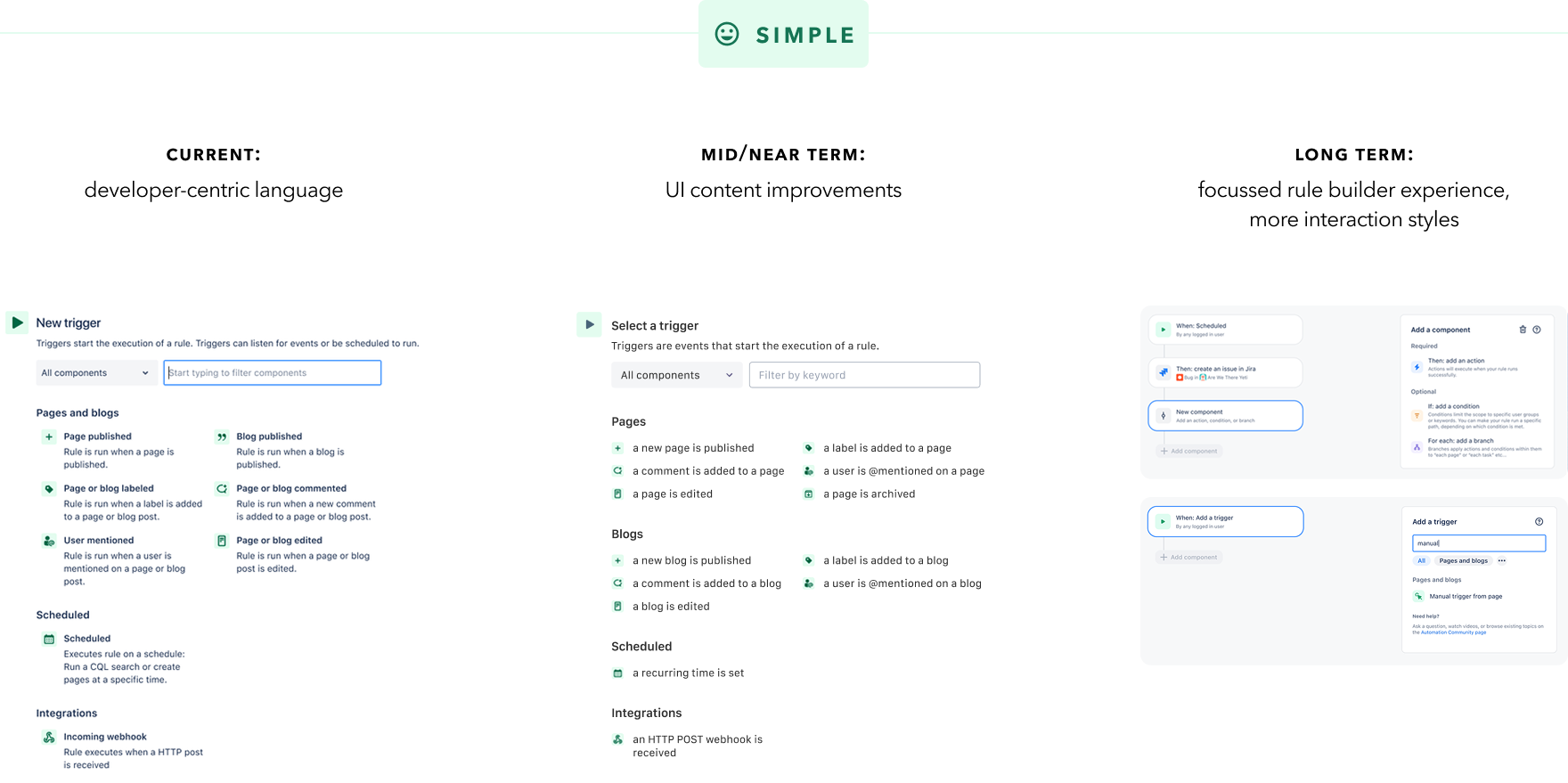
Simple
Replaced developer-centric language and added real-time component validation. Improved information hierarchy for first-time users, with a long-term vision for a fully rethought rule builder with progressive disclosure.
-
2
Powerful
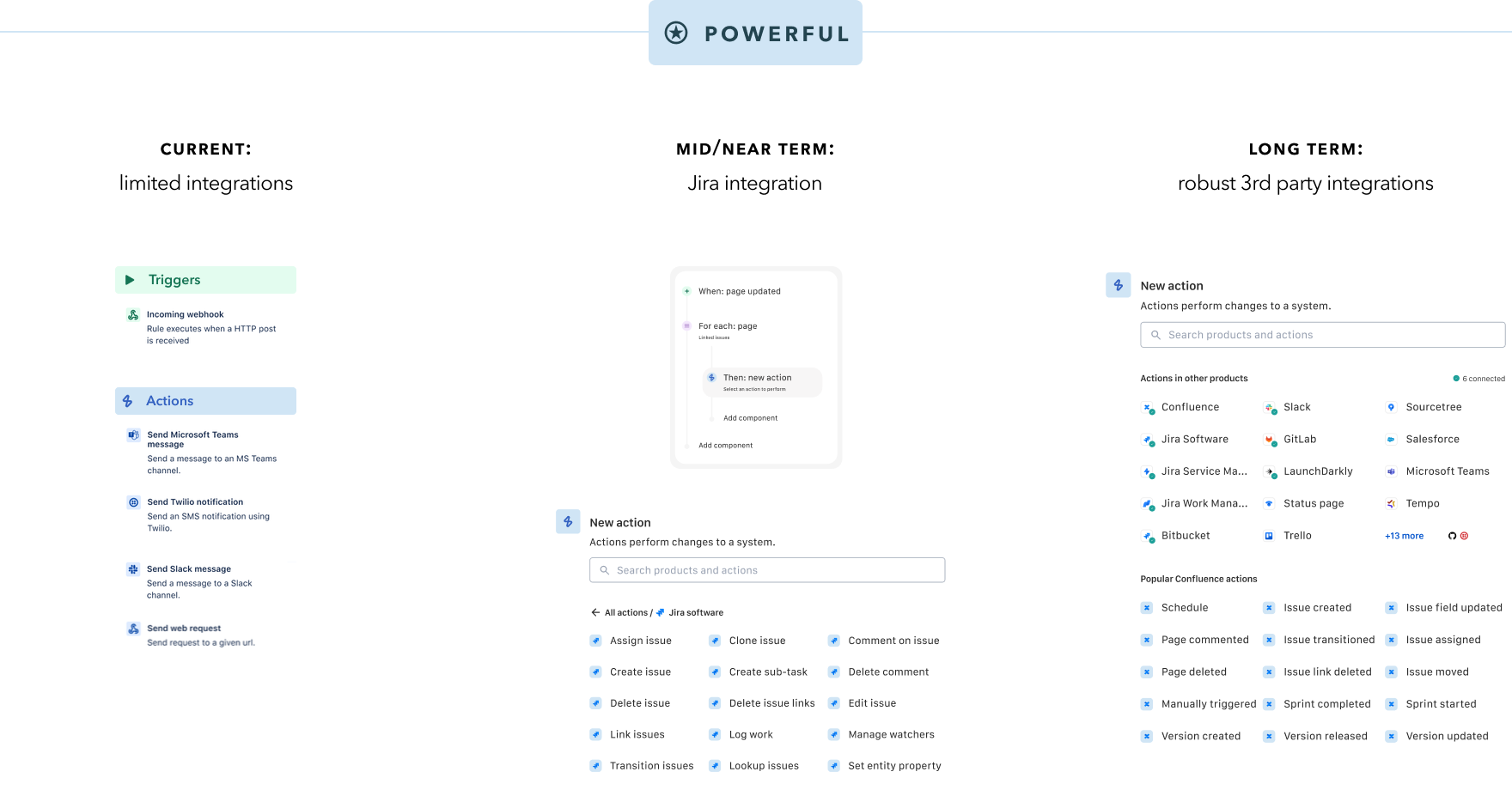
Prioritized Jira as the first cross-product integration — the most requested enhancement from software teams — with a roadmap toward robust third-party integrations with connection authorizations.
-
3
Discoverable
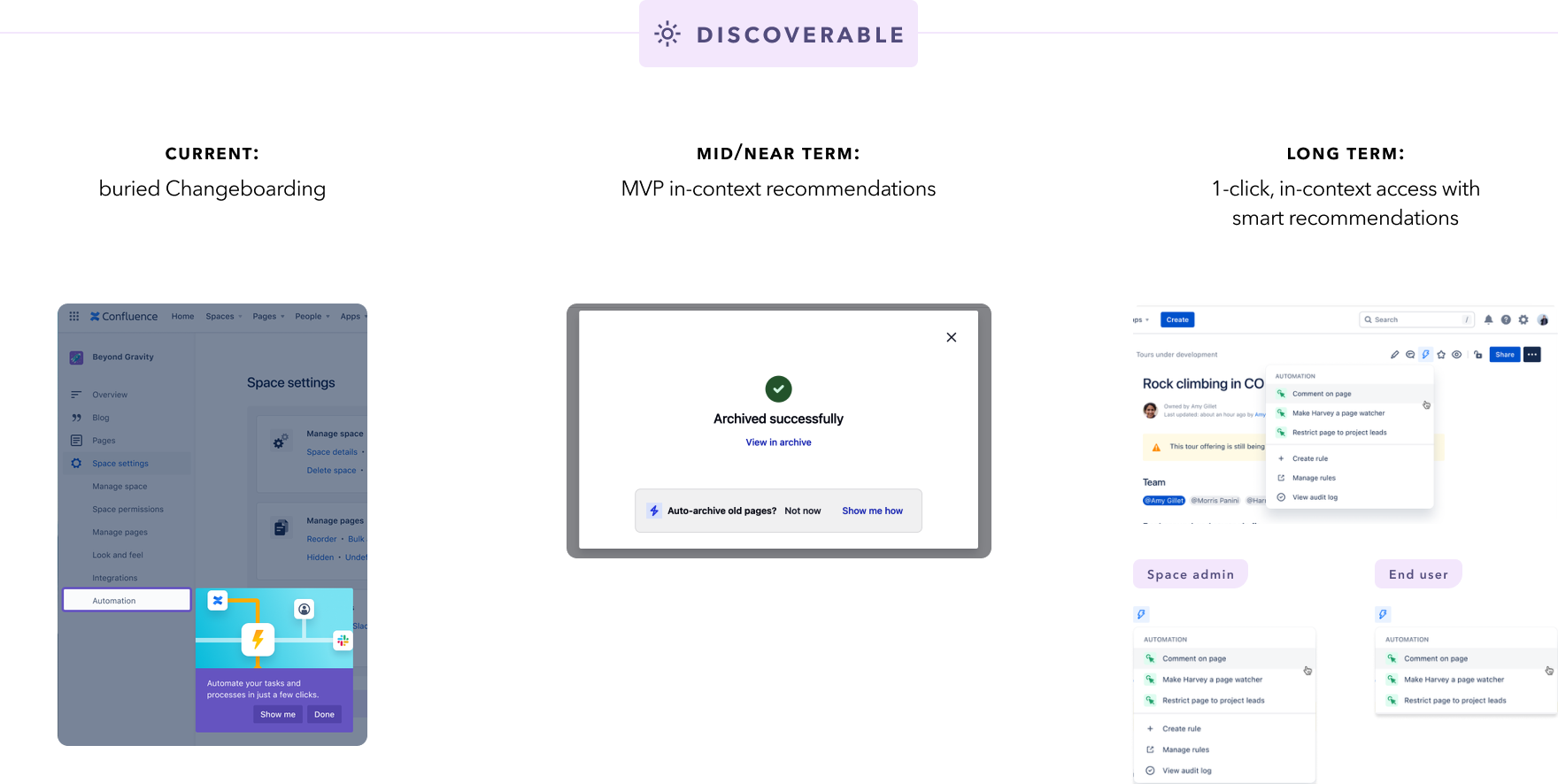
Added in-context recommendations for manual tasks like archiving inactive pages, and planned in-page access to automation directly from content types — expanding reach beyond enterprise admins to tech-adjacent users.
The experience plan in the 3 strategic buckets was for Automation to grow adoption wall-to-wall, beyond just enterprise admin users to the tech-adjacent users as well. The following plan was presented to Atlassian leadership to secure buy-in for the next couple of quarters:
A signature design detail: smart values
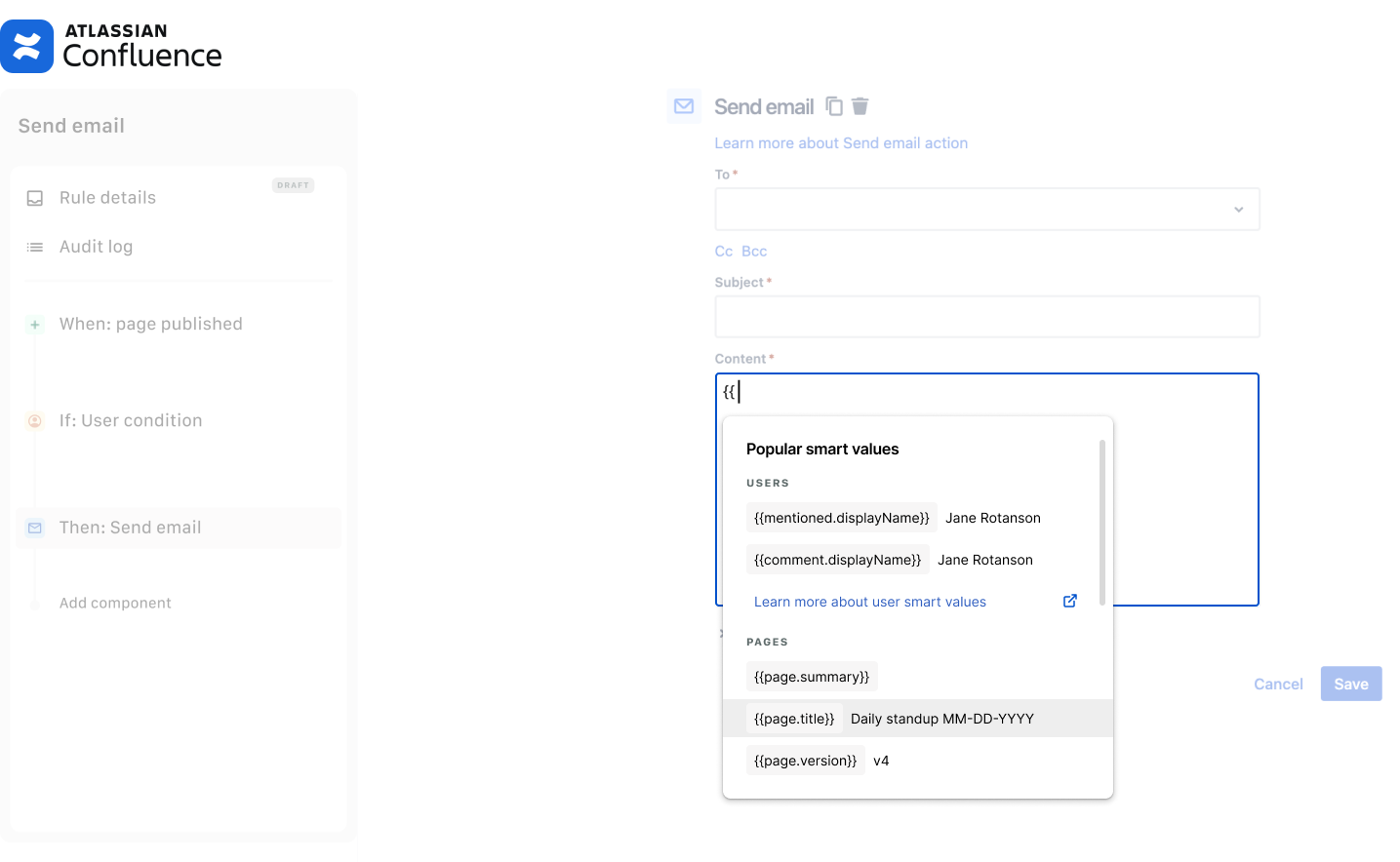
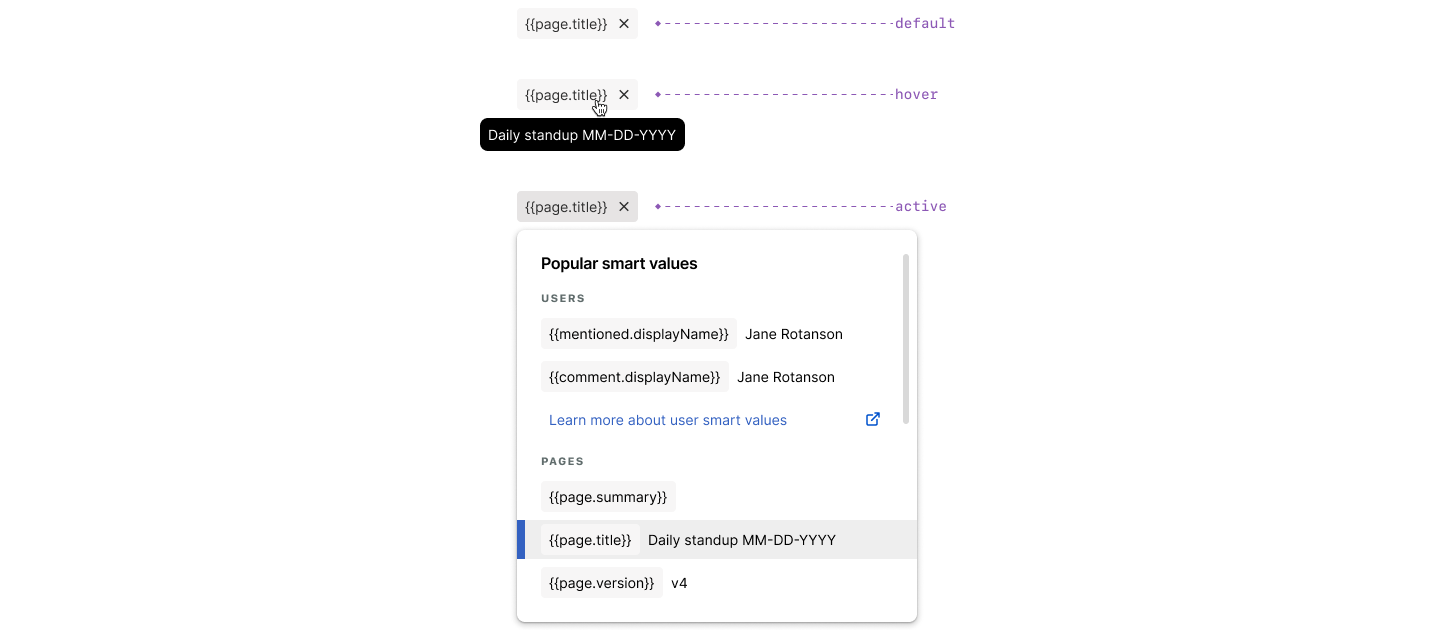
Smart values were the top automation support ticket driver (~10% of all tickets) and a known pain point across all admin skill levels. Since they're unique to Atlassian syntax, users had to learn them to unlock automation's full potential — and the product gave them almost nothing to help.
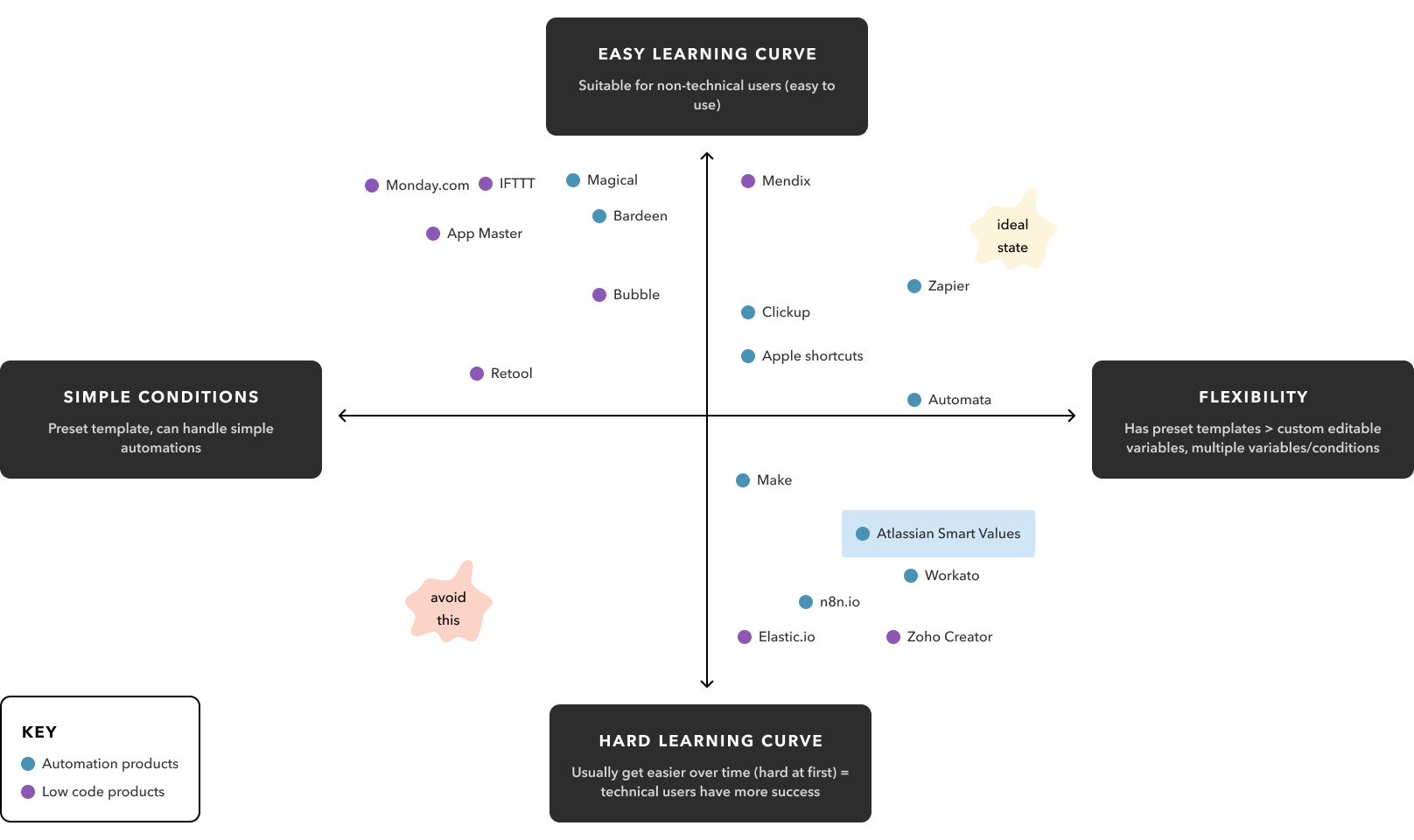
I designed a contextual dropdown that appeared when users entered the double-moustache syntax, showing smart recommendations with real examples. Selections rendered as pills — swappable and removable — masking the underlying syntax while keeping the power. This pattern was contributed back to the broader Atlassian design system.
I applied the same principle to Confluence search queries: introducing a conversational MVP experience with advanced syntax as an opt-in, widening the feature's accessible audience significantly.
Outcomes
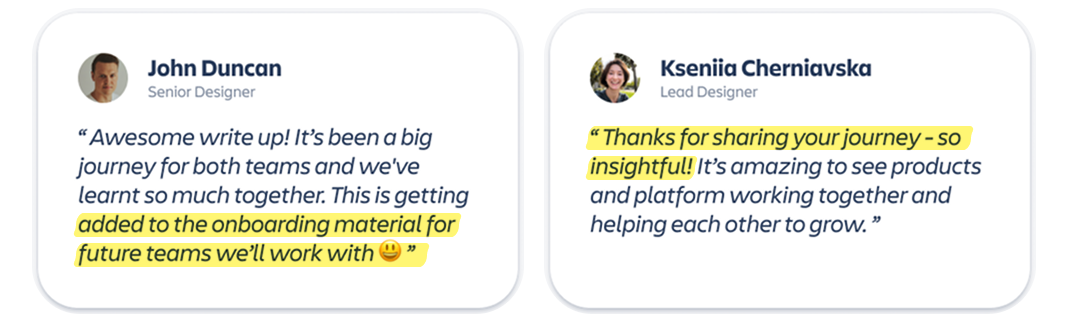
The project became a top driver for Confluence Premium. My learnings on establishing product accents on a platform feature were incorporated into Atlassian's onboarding material for future product teams.